
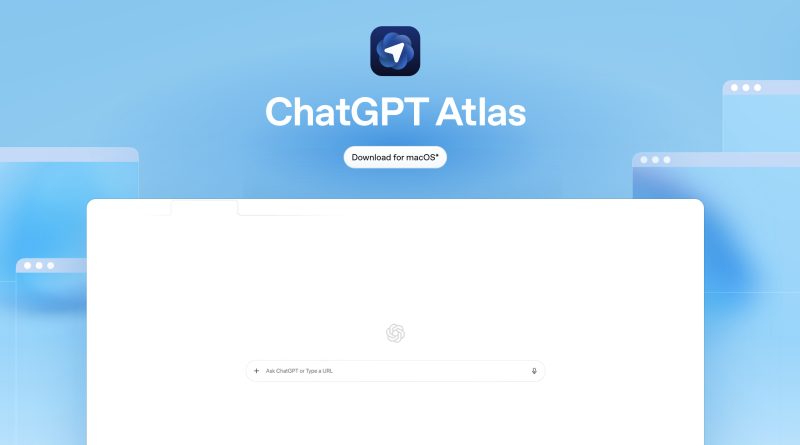
ChatGPT Atlas arrives with power and peril, why AI browsers could become the web’s riskiest habit
OpenAI has launched ChatGPT Atlas, an AI powered browser that promises to plan trips, compare products, and even book flights on your behalf. It also introduces browser memories to recall your preferences, and an experimental agent mode that can click, type, and interact with sites for you. The pitch is convenience across the entire web. The concern from security researchers is simple. Giving an agent the keys to your digital life creates a new attack surface that criminals will target.
The core risk, natural language becomes an attack path
Traditional browsers mostly do what you tell them. AI browsers read pages, interpret instructions, and act. That creates a class of exploits known as prompt injections. A malicious page can hide instructions in text, markup, or images that an agent will treat as its new goal. The model may fail to distinguish your intent from the page’s intent. That collapse can turn the agent into an unwitting intruder that copies private data, opens new tabs, or runs harmful actions.
Attackers can hide commands in white on white text, in off screen elements, or inside images. They can trigger clipboard changes when buttons are clicked. If your clipboard gets silently overwritten with a phishing link, the next paste could send you to a fake login that steals passwords or MFA codes. Similar weaknesses were shown in other agentic browsers. Hidden commands executed on summary. Commands embedded in screenshots. Even simple navigation to a booby trapped page can start the chain.
Why Atlas raises the stakes
Atlas is designed to remember things you care about. It can also be granted access to email, calendars, cloud files, passwords, and payment methods. Powerful agents need privileges to be useful. If an attacker tricks the agent, it is as if you were tricked. The risk is not only data leakage. It is account takeovers, silent purchases, or scripted actions that move money or expose networks. The integration layer between browsing and AI is new, complex, and attractive to adversaries.
OpenAI says it has red teamed Atlas, trained models to ignore malicious instructions, layered guardrails, and built rapid response systems to detect and block attacks. Watch Mode makes agent actions visible. Logged out mode limits credentials on sensitive sites. Security leaders caution that prompt injection is a frontier problem. Defenses will improve, attackers will adapt. This is a cat and mouse cycle, and it is starting at scale.
Privacy is also on the line
Atlas can import passwords and history. It can sync memories across sessions. Less technical users may assume privacy is automatic. In reality, useful agents often require sharing more data, not less. That increases the consequences of any failure. There is also the evergreen AI risk of hallucination, where the system fabricates steps or facts, which can compound harm if automation is allowed to proceed without checks.
What to do if you try AI browsing anyway
Treat agent mode as production grade automation, not a toy.
-
Start with the lowest privileges. Decline password keychain access. Do not connect bank accounts or payment cards at launch.
-
Use logged out mode by default. Only sign in on sites where you must.
-
Keep Watch Mode on. Read every step before it executes. Require approval for any action that changes data or money.
-
Partition tasks by browser. Use a standard browser for banking and primary email. Try Atlas in a separate profile for low risk tasks.
-
Block third party cookies. Disable cross site tracking. Clear site data often.
-
Lock down the clipboard. Use clipboard managers that show history, so silent overwrites are visible.
-
Use hardware security keys for critical accounts. If an agent or phishing page steals a password, the key still stops the login.
-
Limit extensions. Fewer add ons means fewer hooks attackers can exploit. Prefer open source, audited tools.
-
Keep your OS and browsers fully updated. Patch quickly.
-
Monitor account activity. Set alerts for new logins, password changes, and transactions.
The competitive context
Atlas arrives into a market that is shifting. Perplexity has Comet. Brave is testing and publishing attack research. Google has fused Gemini into Chrome. Microsoft continues to bind AI into Edge. Each path heightens the same tension. Agents promise less friction. Security demands more friction. The winner will be the one that makes safety almost invisible, while keeping the user in control at the moments that matter.
Bottom line
Agentic browsing is a big idea with real upside. It is also a fundamentally different trust model. You are inviting software to think, read, and act on your behalf across a messy and adversarial web. That can save time. It can also go wrong in ways that are costly and hard to see. If you adopt Atlas or any AI browser now, proceed like a careful pilot. Limit scope. Verify steps. Keep critical accounts out of reach. Let the ecosystem harden before you hand over the keys.