
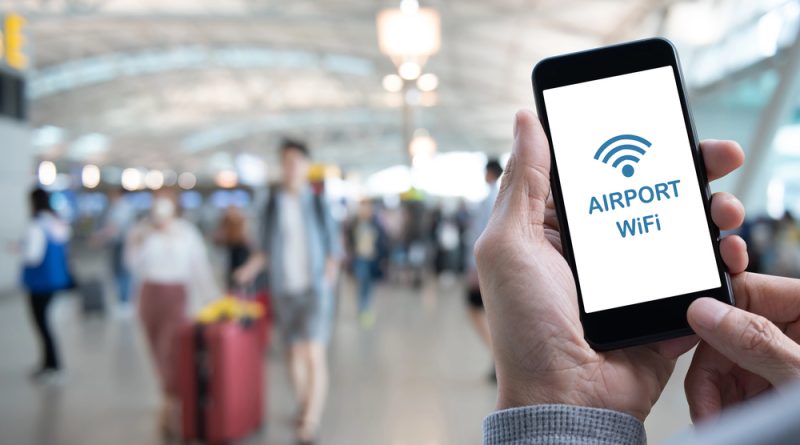
Why Airport Wi-Fi Could Be the First Cybersecurity Risk of Your Holiday
For many travellers, the airport is where a trip begins to feel real. Bags are checked, boarding passes are scanned, duty-free shelves are browsed and phones are pulled out to pass the time before departure.
Then comes the familiar search for free Wi-Fi.
For anyone trying to avoid roaming charges, send a final work email, message family or download a boarding pass, airport Wi-Fi can feel like a small travel victory. It is convenient, fast enough for basic browsing and usually available before the plane has even left the ground.
But cybersecurity experts warn that this moment of convenience can also be the moment travellers expose themselves to unnecessary risk.
Public Wi-Fi networks are rarely as safe as people assume. Airports, hotels, cafes and transport hubs are busy, high-trust environments where travellers are distracted, rushed and often more willing to connect first and think later. That makes them attractive hunting grounds for cybercriminals.
The danger is not only that an airport network might be insecure. The greater risk is that the network may not be legitimate at all.
One of the oldest tricks used against travellers is the fake hotspot, sometimes known as an evil twin. A criminal creates a wireless network with a name that looks similar to the airport’s official Wi-Fi. A tired passenger sees what appears to be the right network, taps connect and begins browsing as normal.
From the traveller’s perspective, everything may seem fine. Pages load, messages send and apps refresh. But behind the scenes, their traffic may be passing through infrastructure controlled by an attacker.
That can allow criminals to observe activity, capture information entered into insecure pages, redirect users to fake login portals or push convincing prompts designed to harvest details. In some cases, the goal is not immediate theft, but long-term access. A password captured at the airport may later be tested against email, banking, shopping, cloud storage and social media accounts.
The problem is made worse by how predictable travellers can be. Many people use airport Wi-Fi to check email, log into airline accounts, open work systems, access banking apps, message colleagues, confirm hotel bookings or manage travel money. Those are exactly the kinds of actions that can expose valuable personal and financial information.
A new survey by eSIM app Saily suggests the risk is widespread. According to the figures cited, nearly 77 per cent of British travellers use free public Wi-Fi while travelling overseas, while 73 per cent of Australians now connect to public networks abroad, up from 64 per cent last year.
Those numbers point to a simple truth: public Wi-Fi has become normal travel behaviour.
The issue is that normal does not mean safe.
Public networks are shared environments. Unlike a home or office connection, they may be used by hundreds or thousands of strangers. Some may be legitimate passengers. Others may be actively looking for weak devices, careless behaviour or unencrypted traffic.
Modern websites and apps have become better at encrypting data, which means many everyday actions are safer than they were a decade ago. But encryption does not remove every risk. Travellers can still be tricked into joining a fake network, entering details into a fake login page, ignoring browser warnings or downloading malicious files.
Attackers are also becoming more convincing.
Artificial intelligence has made it easier to create believable scams at speed. Fake support messages, imitation airport pages, phishing emails and fraudulent login screens can now be written in polished language and tailored to the situation. A traveller who has just connected to airport Wi-Fi may not question a prompt that appears to ask them to verify their email, accept updated terms or sign into a loyalty account.
That is how convenience becomes compromise.
There is also the risk of so-called man-in-the-middle attacks. In simple terms, this is when an attacker positions themselves between the user and the service they are trying to reach. The traveller thinks they are communicating directly with a website or app, but the attacker is attempting to observe, intercept or manipulate the connection.
This does not require the dramatic image of a hacker in a dark room breaking into a device in real time. Many public Wi-Fi attacks rely on simple conditions: a busy place, an open network, a believable name and users who are in a hurry.
Airports are ideal for that.
Passengers are often juggling stress, fatigue and time pressure. They may be in another country, worried about roaming fees or trying to solve a travel problem quickly. That emotional state makes people more likely to accept prompts, join unfamiliar networks and overlook warning signs.
The safest option is to avoid public airport Wi-Fi altogether when handling anything sensitive. Mobile data is generally safer than a shared public network, particularly for banking, email, work accounts and identity-related tasks. For international travellers, an eSIM or roaming plan can reduce the temptation to connect to unknown hotspots.
If public Wi-Fi must be used, travellers should slow down before connecting. Check the official network name with airport signage or staff. Avoid generic names such as Free Airport Wi-Fi if the airport does not clearly identify them. Turn off automatic connections so your device does not join unknown networks without your approval.
A reputable VPN can add another layer of protection by encrypting traffic between your device and the VPN provider. It is not a perfect shield, and it will not protect you from typing your password into a fake page, but it can reduce the risk of casual snooping on public networks.
Travellers should also avoid logging into sensitive accounts on public Wi-Fi. Banking, work systems, tax portals, cloud storage and accounts containing identity documents should wait until a trusted connection is available. If a task can wait, let it wait.
Device settings matter too. File sharing should be turned off when using public networks. Software and apps should be kept updated before travelling. Multi factor authentication should be enabled on important accounts. Devices should be locked with strong passcodes, and password managers should be used instead of reused passwords.
After connecting to a public network, it is also worth telling the device to forget that network. This reduces the chance of automatically reconnecting to a similar or spoofed network later.
The biggest lesson is that public Wi-Fi should be treated as untrusted by default. It may be useful for checking the weather, reading the news or browsing general information, but it should not be the place where travellers expose their most important accounts.
Cybersecurity is often described in technical terms, but in situations like this the real defence is awareness. Most travellers do not need to become network engineers. They simply need to understand the risks well enough to make better decisions in the moment.
That means knowing that fake hotspots exist. It means recognising that a familiar-looking network name is not proof of legitimacy. It means understanding that a password entered in the wrong place can open the door to far more than one travel account. It means realising that attackers depend on rushed decisions.
Airport Wi-Fi is not automatically dangerous every time it is used. But it is risky enough that travellers should stop treating it as harmless.
The next time you land overseas and see a list of free networks, pause before tapping connect. The cheapest internet connection in the terminal could become the most expensive mistake of the trip.
To learn how hackers exploit public Wi-Fi, fake hotspots and social engineering tactics, and how to defend yourself against them, take The Hack Academy’s online training programme. Building your cybersecurity knowledge is one of the most effective ways to protect your accounts, your data and your digital life wherever you travel.