
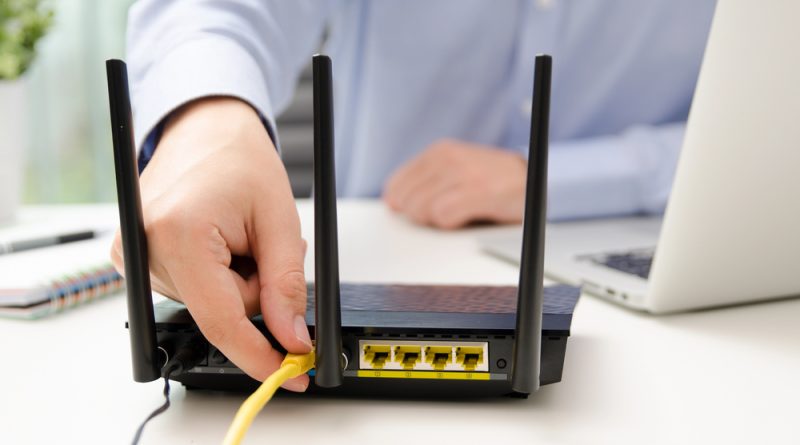
Rebooting Your Router Is Not A Magic Trick, But It Still Matters
There are few pieces of tech advice more universal than this: turn it off and on again.
It is the first thing we try when a laptop freezes, when a phone refuses to behave, when an app stalls, or when some mysterious digital gremlin decides to ruin a perfectly ordinary afternoon. The restart has become the folk medicine of modern technology. It is simple, free, low risk and often strangely effective.
So it is no surprise that the same logic has been applied to home internet. If your Wi-Fi feels sluggish, reboot the router. If your video call is buffering, reboot the router. If your gaming ping suddenly looks like it has been routed through the moon, reboot the router. Reddit threads, tech forums and household lore all repeat the same advice with near religious confidence.
But does rebooting your router actually make your internet faster?
The honest answer is frustratingly unsatisfying: sometimes, but not in the way people think.
A router reboot is not a performance upgrade. It does not transform a cheap, ageing ISP gateway into a premium mesh system. It does not increase the speed your provider is delivering to your home. It does not fix a congested neighbourhood network, bad cabling, poor router placement, weak signal through thick walls, or an internet plan that was already too slow for the number of devices fighting over it.
What it can do is clear temporary problems.
That is the distinction that gets lost in the myth. Rebooting a router may help when something has gone wrong. It is far less likely to help when nothing is wrong and the connection is simply limited by hardware, coverage, congestion or the service itself.
Routers are not mystical boxes. They are small computers. They have processors, memory, firmware, radios, network tables and background processes. They handle traffic from phones, laptops, TVs, smart speakers, cameras, gaming consoles, tablets and every other connected gadget in the house. Many people leave them running for weeks or months without giving them a second thought.
Over time, some routers can become unstable. Memory leaks, overheating, firmware bugs, IP address conflicts, overloaded device tables or poor handling of heavy traffic can lead to slower performance or dropouts. A reboot clears the current state and forces the device to start fresh.
That is why the advice persists. People reboot their router during a bad internet moment, the connection improves, and the ritual becomes proof. The problem is that personal experience is messy. Maybe the reboot helped. Maybe the ISP issue resolved at the same time. Maybe the speed test server changed. Maybe network congestion eased. Maybe the device reconnected to a better Wi-Fi band. Maybe the improvement was real, but temporary.
This is how tech myths survive. They are not always completely false. They are half true often enough to become habit.
The bigger issue is that rebooting the router can become a lazy substitute for diagnosis. It gives the illusion of control without asking why the problem keeps happening.
If your home internet slows down once every few months and a reboot fixes it, that is not a crisis. It is mildly annoying, but manageable. If you need to reboot your router every few days, something is wrong. That may be bad firmware, underpowered hardware, overheating, a failing modem, poor Wi-Fi coverage, too many connected devices, interference, or a problem with the line or service provider.
At that point, the reboot is not a solution. It is a symptom.
This matters because home networks are now critical infrastructure. They are no longer just for browsing, streaming and the occasional download. They support remote work, online banking, cloud storage, smart home devices, security cameras, schoolwork, telehealth, gaming, media, business calls and sometimes entire home offices.
A slow or unstable connection is not just inconvenient. It can cost time, money and productivity.
The best approach is not to worship the router reboot, but to put it in its proper place. It is a first step, not a final answer.
If the internet suddenly becomes slow, restart the router and modem properly. Turn them off, wait a short period, then turn them back on and allow them to fully reconnect. If performance returns to normal, good. But do not stop paying attention.
Run a speed test near the router, then another from the problem area. Compare wired and wireless performance if you can. Check whether the issue affects every device or only one. Look at whether the problem happens at the same time each day. Note whether it occurs during streaming, gaming, large downloads or video calls. Make sure your router firmware is up to date. Check that the router is not hidden in a cupboard, trapped behind a television or buried beside other electronics.
Most home Wi-Fi problems are not solved by superstition. They are solved by placement, capacity and understanding.
A router should be central, elevated and unobstructed where possible. Old hardware should be replaced when it no longer matches the demands of the household. Larger homes may need mesh Wi-Fi or properly placed access points. Crowded apartments may need channel optimisation. Families with dozens of connected devices may need something better than the basic gateway supplied by an internet provider.
Security also matters. A neglected router is not just a performance problem. It can be a weak point in the home. Default passwords, old firmware and unsupported devices create unnecessary risk. Rebooting may temporarily refresh a device, but it does not replace good security hygiene.
This is where the mythology becomes dangerous. When people believe rebooting is the cure, they may ignore the deeper problem. They may tolerate unreliable hardware for years. They may blame their laptop, their phone or their provider when the real culprit is a router that should have been retired long ago.
The truth is that rebooting your router is neither nonsense nor magic. It is a useful troubleshooting step that has been inflated into a universal remedy.
It can clear temporary faults. It can restore a stuck connection. It can help an overloaded device recover. It may even make your internet feel faster after a glitch.
But it cannot create bandwidth out of thin air. It cannot fix bad coverage. It cannot overcome an outdated router. It cannot solve chronic congestion. It cannot replace a proper network setup.
The restart remains useful because technology remains imperfect. But the smarter question is not whether rebooting works. The smarter question is why you needed to reboot in the first place.
If the answer is rare instability, reboot and move on.
If the answer is constant frustration, stop treating the router like a temperamental appliance and start treating it like what it is: the centre of your digital home.
Sometimes turning it off and on again is enough. Sometimes it is just your router politely asking to be replaced.
Photo Credit: DepositPhotos.com