
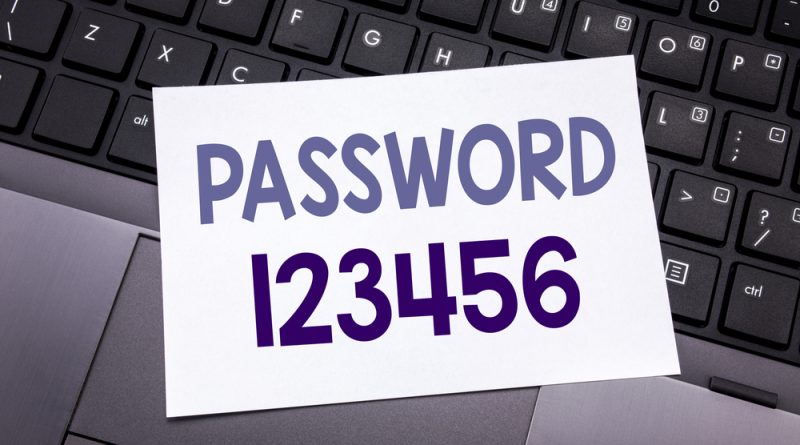
5 Password Myths You Should Stop Believing Immediately
Passwords are one of the oldest tools in cybersecurity, but they remain one of the most important. Every day, they stand between your personal information, banking details, work accounts, private messages and the criminals trying to get in.
The problem is that many people are still following password advice that is outdated, incomplete or simply wrong.
From regularly changing passwords to reusing “unimportant” logins, these common myths can make people feel secure while leaving them dangerously exposed. In a world where hacked accounts can lead to fraud, identity theft, reputational damage and financial loss, understanding how passwords really work is no longer optional.
Here are five password myths you should stop believing immediately.
Myth 1: Complexity Matters More Than Length
Most people have been trained to think of a “strong” password as something short but chaotic. A capital letter, a number, a symbol, and perhaps a word with a few letters swapped out.
Something like P@ssw0rd! may look clever, but to a hacker using modern password cracking tools, it is not nearly as strong as people think.
Length matters enormously. Every extra character increases the number of possible combinations a computer has to test. An eight-character password, even with a mix of letters and symbols, can be far easier to crack than a longer password made from a string of unrelated words.
A 16-character password is vastly stronger than an eight-character one, especially if it avoids obvious phrases, names, birthdays or common substitutions. Complexity still helps, but length is the real force multiplier.
A better approach is to use long, unique passphrases or randomly generated passwords stored in a password manager. They are harder for attackers to crack and easier to manage safely when used properly.
Myth 2: You Should Change Your Passwords Regularly
For years, many workplaces and online services have forced users to change passwords every few months. It sounds sensible. Keep changing the password and hackers will have less time to guess it.
In practice, the opposite often happens.
When people are forced to change passwords too frequently, they tend to make small, predictable changes. A password like Summer2025! becomes Spring2026!, or Password1! becomes Password2!. That makes life easier for attackers, not harder.
Security experts now generally advise against forced regular password changes unless there is a reason to believe a password has been compromised. The better strategy is to create a strong, long and unique password for every account, then change it immediately if there is a breach, suspicious login or phishing attempt.
The goal is not constant change. The goal is strong, unique, well-managed credentials.
Myth 3: Two-Factor Authentication Is Useless If You Have A Strong Password
A strong password is essential, but it is not invincible.
Even the best password can be stolen through phishing, fake login pages, malware, data breaches or social engineering. That is why two-factor authentication, often called 2FA, is so important.
2FA adds another step before someone can access your account. Usually, that means something you know, such as your password, plus something you have, such as a phone, authentication app or physical security key.
This means that even if a criminal steals your password, they may still be blocked from logging in.
Not all 2FA is equal. SMS codes can be vulnerable to SIM swapping, and push notifications can be abused by attackers who spam users until they accidentally approve a login. Authentication apps are stronger, and physical security keys are stronger again.
Still, any 2FA is usually better than no 2FA. It can also act as an early warning system. If you receive a login code or approval request you did not trigger, that is a sign someone may already have your password.
Myth 4: You Should Never Write Down Your Passwords
“Never write down your passwords” is one of the most repeated security rules. Like many rules, it is too simplistic.
Writing passwords on a sticky note next to your computer is obviously a bad idea. Saving them in an unprotected document, spreadsheet or notes app is also risky. But for some people, writing certain passwords in a physical notebook and storing it securely can be safer than using weak, reused passwords they can easily remember.
The key is where and how that notebook is kept. A password book should not travel with you, sit on your desk or be left somewhere obvious. It should be stored somewhere secure, such as a locked drawer or safe.
For most people, a reputable password manager is still the better option. It can generate strong passwords, store them securely and help prevent reuse across accounts. But the broader lesson is this: a long, unique password stored safely is better than a weak password kept only in your memory.
Myth 5: Reusing Passwords Is Fine For Unimportant Accounts
This is one of the most dangerous myths of all.
Many people think it is acceptable to reuse passwords for accounts they do not care much about, such as shopping sites, forums, gaming platforms, newsletters or old social media accounts.
Attackers love this behaviour.
When one site is breached, criminals often take the leaked usernames and passwords and try them across other platforms. This is called credential stuffing. If you have reused the same password, one minor breach can quickly become a much bigger problem.
Even “unimportant” accounts can contain valuable information, including your name, email address, phone number, delivery address, purchase history or personal messages. Criminals can use that information to impersonate you, target you with phishing scams or break into more sensitive accounts.
Every account needs its own unique password. Not just banking. Not just email. Every account.
Better Password Habits Start With Better Cybersecurity Skills
Good password security is not about memorising dozens of impossible codes or living in fear of every login screen. It is about understanding how attackers think, where the real risks are, and how to use simple tools and habits to protect yourself.
That means using long, unique passwords. It means storing them safely. It means enabling two-factor authentication. It means avoiding password reuse, spotting phishing attempts and taking action quickly when something looks suspicious.
Cybersecurity is no longer just an IT department problem. It is a life skill.
To build confidence and protect yourself, your workplace and your accounts, take the next step with Hack Academy’s online training programme. Designed to help everyday users improve their cybersecurity skills, the programme gives you practical knowledge you can apply immediately, from safer passwords to smarter online habits.
Strengthen your digital defences today. Start learning with Hack Academy and make yourself a much harder target for cybercriminals.
Photo Credit: DepositPhotos.com